Post by : Sam Jeet Rahman
If your laptop feels slower than usual, you’re not alone. Over time, devices naturally lose their performance due to software updates, clutter, and aging hardware. But before you rush to buy a new one, there are simple, effective ways to boost your laptop’s speed and extend its life — without spending much.
Let’s look at some practical steps you can take today to make your old laptop run faster and smoother.
When your laptop boots up, many apps start automatically — slowing down the system before you even open anything.
How to fix it:
On Windows, press Ctrl + Shift + Esc → open Task Manager → go to Startup Apps → disable unnecessary ones.
On macOS, go to System Preferences > Users & Groups > Login Items and remove unneeded programs.
Fewer startup apps mean faster boot time and better performance from the start.
Old software, trial versions, and forgotten games eat up valuable storage and memory.
What to do:
On Windows, open Control Panel > Programs > Uninstall a Program.
On Mac, drag apps you no longer use to the Trash.
Stick to the tools you actually use. You’ll be surprised how much speed you gain by simply decluttering your device.
If your laptop still runs on a traditional hard drive (HDD), upgrading to a solid-state drive (SSD) can dramatically boost speed — from boot time to app launches.
Benefits of SSDs:
Faster startup and shutdown times.
Better multitasking.
Longer battery life.
Even older laptops can feel brand new after an SSD upgrade.
If your laptop frequently lags when you open multiple tabs or run software, the problem might be insufficient RAM.
Solution:
Check your laptop’s memory limit (via manufacturer specs).
Consider upgrading from 4GB to 8GB or 16GB for a noticeable boost.
More RAM allows smoother multitasking and faster app switching.
Regular system updates may seem annoying, but they often include performance and security improvements.
Make sure your:
Operating system (Windows/macOS) is up to date.
Drivers and firmware are current.
Apps are updated to the latest versions.
Keeping everything current ensures your laptop runs efficiently and securely.
Lack of storage can slow down your computer — especially if your drive is more than 80% full.
Try these tips:
Use built-in cleanup tools like Disk Cleanup (Windows) or Storage Manager (Mac).
Delete temporary files and duplicate data.
Empty your Recycle Bin/Trash regularly.
For a deeper clean, consider tools like CCleaner or CleanMyMac to free up space safely.
Web browsers can eat up huge chunks of RAM and CPU resources, especially with too many extensions or open tabs.
Boost your browser:
Disable unused extensions.
Clear cache and cookies.
Limit open tabs — or use extensions that “suspend” idle ones.
Switching to a lightweight browser like Brave or Microsoft Edge can also improve overall performance.
Many laptops default to “balanced” or “power-saving” mode to extend battery life. But if you mostly use your device while plugged in, switch to High Performance mode.
How to do it:
On Windows, go to Control Panel > Power Options → select High Performance.
On Mac, open System Preferences > Battery > Power Adapter → adjust for better performance.
This small tweak can provide a noticeable speed improvement immediately.
If you still use an HDD, defragmenting your drive helps organize data for faster access.
Note: Do not defragment SSDs — it’s unnecessary and can reduce their lifespan.
On Windows, search for “Defragment and Optimize Drives”, then follow the prompts.
Those smooth animations look nice, but they can slow down older systems.
To disable them:
On Windows: Search “Adjust the appearance and performance of Windows” → choose Adjust for best performance.
On Mac: Go to System Preferences > Accessibility > Display → reduce motion and transparency.
Turning off visual effects can make your laptop feel snappier instantly.
Viruses and background malware processes can severely slow your laptop.
Use reliable tools like Windows Defender, Malwarebytes, or Bitdefender to scan and remove threats.
Once clean, install a lightweight antivirus and avoid running multiple scanners at once.
Apps like cloud sync services, downloaders, or chat tools can consume system resources.
Check what’s running:
Open Task Manager (Windows) or Activity Monitor (Mac).
End tasks that aren’t critical.
Keep essential apps only — your CPU and RAM will thank you.
If nothing else works, a fresh OS installation can eliminate all hidden issues.
Backup your data first, then reinstall Windows or macOS from scratch.
It’s often the fastest way to get your laptop running like new again.
You don’t always need a new device to enjoy fast and smooth performance. By managing startup apps, upgrading hardware, cleaning clutter, and updating software, you can extend your laptop’s life and save money.
A little maintenance goes a long way — your old laptop can still deliver years of reliable use with the right care.

Jannik Sinner Completes Sunshine Double With Miami Win
Jannik Sinner beats Jiri Lehecka 6-4, 6-4 to claim the Miami Open, becoming the first man to complet

Athar Festival 2026 Ends with Strong Social Impact
Athar Festival 2026 in Abu Dhabi raised AED17M for orphans, blending entertainment with charity and

Abu Dhabi Licenses Foster Families Association
Abu Dhabi licenses Foster Families Association to promote fostering, support families, and ensure sa

The Myriad Expands Student Housing in Saudi Arabia
The Myriad advances Saudi expansion as demand for modern student housing rises, supporting education
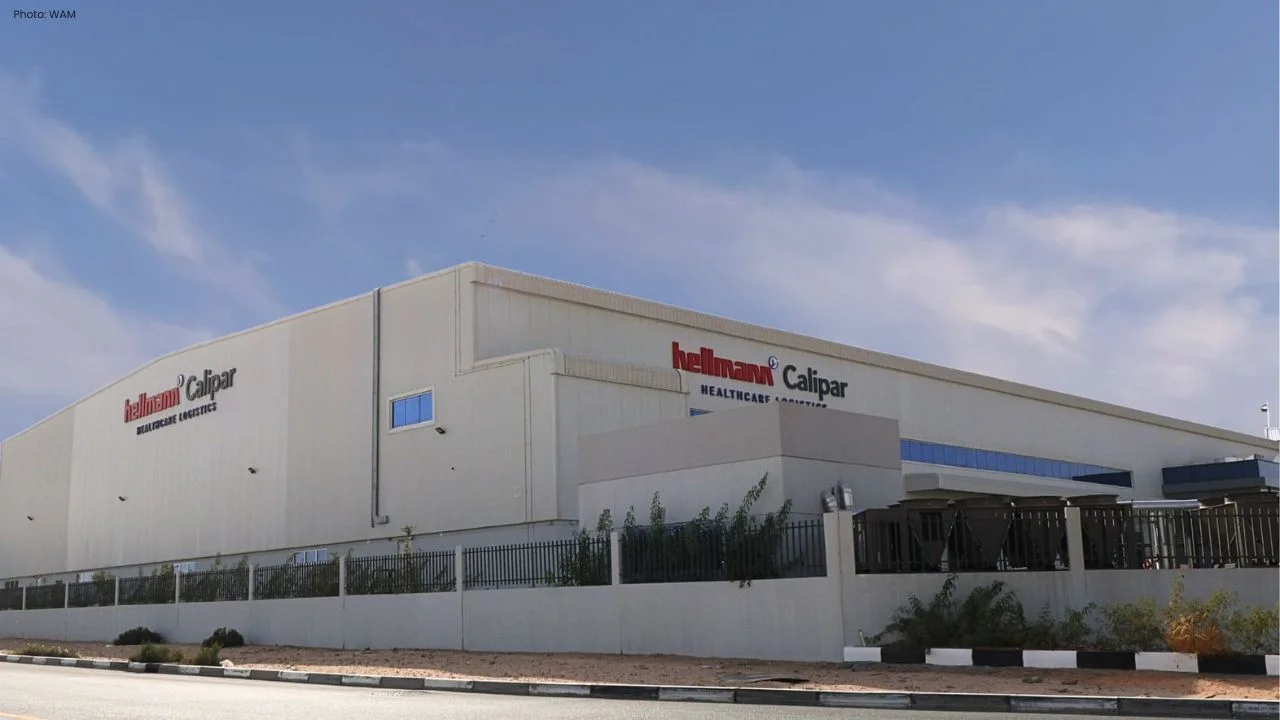
Hellmann Opens New Healthcare Hub at Dubai South UAE
Hellmann expands UAE presence with a new healthcare logistics facility at Dubai South, boosting capa

Ghana Sack Otto Addo Ahead of 2026 World Cup Start
Ghana dismiss coach Otto Addo just 72 days before the 2026 World Cup after poor results, including d

Indonesia Boat Sinks, All 21 Survivors Rescued Safely
Rescue teams saved 21 people after a boat sank near Taliabu Island. All passengers were found safe a


Bank of Baroda Faces Abu Dhabi Legal Battle over NMC Collapse
Bank of Baroda’s involvement in Abu Dhabi litigation tied to the NMC Healthcare collapse raises repu

Top Museum Openings of 2026 Set to Transform Global Tourism
From Los Angeles to Abu Dhabi and Brussels, 2026 brings major museum launches—Lucas Museum, Guggenhe

UAE Tour Highlights UAE’s Strength in Hosting Global Sports Events
Abu Dhabi Sports Council says the successful UAE Tour reflects the UAE’s leading role in hosting maj

EU Seeks Clarity from US After Supreme Court IEEPA Ruling
European Commission urges full transparency from the US on steps after Supreme Court ruling, emphasi

SpaceX Launches 53 New Satellites for Expanding Starlink Network
SpaceX launches 53 Starlink satellites in two Falcon 9 missions, breaking reuse records and expandin

RTA Awards Contract for Phase II of Hessa Street Upgrade in Dubai
Phase II of Hessa Street Development to add bridges, tunnel, and upgraded intersections, doubling ca

UAE Gold Prices Today, Monday 16 February 2026: Dubai & Abu Dhabi Updated Rates
Gold prices in UAE on 16 Feb 2026 updated: 24K around AED 599.75/gm, 22K AED 555.25/gm, and 18K AED

Over 25 Ahmedabad Schools Receive Bomb Threat Email, Authorities Investigate
More than 25 schools in Ahmedabad evacuated after bomb threat emails mentioning Khalistan. Authoriti